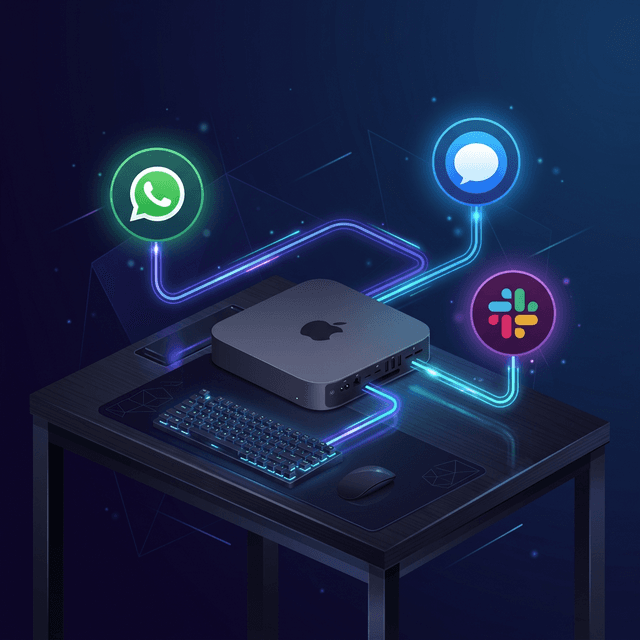
【最新版】iMessage(legacy)でOpenClawを使う方法(imsg CLI連携)
2026年3月18日
iMessage
iMessage(legacy: imsg)
注意: 新規の iMessage 導入は BlueBubbles を使ってください。imsg 連携はレガシーで、将来のリリースで削除される可能性があります。
ステータス:レガシー外部CLI連携。Gateway は imsg rpc を spawn し、 stdio 上の JSON-RPC で通信します(別daemon/別ポートは不要)。
- BlueBubbles(推奨):https://docs.openclaw.ai/channels/bluebubbles
- Pairing(DMはデフォルトでペアリング):https://docs.openclaw.ai/channels/pairing
- Configuration reference(iMessageの全フィールド参照):https://docs.openclaw.ai/gateway/configuration-reference#imessage
クイックセットアップ
ローカルMac(最短ルート)
Step 1:imsg をインストールして確認
brew install steipete/tap/imsg
imsg rpc --help
Step 2:OpenClaw を設定
{
  channels: {
    imessage: {
      enabled: true,
      cliPath: "/usr/local/bin/imsg",
      dbPath: "/Users/<you>/Library/Messages/chat.db",
    },
  },
}
Step 3:Gateway を起動
openclaw gateway
Step 4:最初のDMペアリングを承認(デフォルト dmPolicy)
openclaw pairing list imessage
openclaw pairing approve imessage <CODE>
ペアリング要求は 1 時間で期限切れになります。
リモートMac(SSH 経由)
OpenClaw が必要なのは stdio 互換の cliPath だけなので、cliPath を「リモートMacにSSHして imsg を実行するラッパー」にできます。
#!/usr/bin/env bash
exec ssh -T gateway-host imsg "$@"
添付ファイルを有効にする場合の推奨設定:
{
  channels: {
    imessage: {
      enabled: true,
      cliPath: "~/.openclaw/scripts/imsg-ssh",
      remoteHost: "user@gateway-host", // SCP で添付を取得する際に使用
      includeAttachments: true,
      // 任意:許可する添付ファイルのrootを上書き
      // デフォルトには /Users/*/Library/Messages/Attachments が含まれます
      attachmentRoots: ["/Users/*/Library/Messages/Attachments"],
      remoteAttachmentRoots: ["/Users/*/Library/Messages/Attachments"],
    },
  },
}remoteHostを設定していない場合、OpenClaw は SSH ラッパースクリプトをパースして自動検出を試みます。remoteHostはhostもしくはuser@host(スペースやSSHオプションなし)である必要があります。- OpenClaw は SCP で strict host-key checking を使います。そのため、リレーホストの鍵がすでに
~/.ssh/known_hostsに存在している必要があります。 - 添付ファイルのパスは許可root(
attachmentRoots/remoteAttachmentRoots)に対してバリデーションされます。
要件と権限(macOS)
- Messages は
imsgを動かすMacでサインインしている必要があります。 - OpenClaw /
imsgを動かすプロセスコンテキストに フルディスクアクセス が必要です(Messages DBアクセス)。 - Messages.app 経由で送信するために 自動化(Automation)権限 が必要です。
Tip: 権限はプロセスコンテキスト単位で付与されます。Gateway を headless(LaunchAgent/SSH)で動かす場合、 同じコンテキストで一度だけ対話的コマンドを実行して権限プロンプトを出してください:
imsg chats --limit 1
# or
imsg send <handle> "test"
アクセス制御とルーティング
DM policy
channels.imessage.dmPolicy はDM(ダイレクトメッセージ)を制御します:
pairing(デフォルト)allowlistopen(allowFromに"*"を含める必要があります)disabled
Allowlist フィールド:channels.imessage.allowFrom
Allowlist エントリは、handle でも chat target でも指定できます(chat_id:*, chat_guid:*, chat_identifier:*)。
Group policy + mentions
channels.imessage.groupPolicy はグループの扱いを制御します:
allowlist(設定されている場合のデフォルト)opendisabled
グループ送信者 allowlist:channels.imessage.groupAllowFrom
- Runtime fallback:
groupAllowFromが未設定の場合、iMessage グループ送信者チェックは、可能であればallowFromにフォールバックします。 - Runtime note:
channels.imessageが完全に欠けている場合、runtime はgroupPolicy="allowlist"にフォールバックし警告ログを出します(channels.defaults.groupPolicyを設定していても同様)。
グループのメンションゲート:
- iMessage にはネイティブの mention メタデータがありません。
- メンション検出は regex パターン(
agents.list[].groupChat.mentionPatterns、フォールバック:messages.groupChat.mentionPatterns)を使います。 - パターンが設定されていない場合、メンションゲートを強制できません。
認可された送信者からの control commands は、グループのメンションゲートをバイパスできます。
セッションと決定的な返信(deterministic replies)
- DM は direct routing、グループは group routing を使います。
- デフォルト
session.dmScope=mainの場合、iMessage DM はエージェントの main セッションに集約されます。 - グループセッションは分離されます(
agent:<agentId>:imessage:group:<chat_id>)。 - 返信は、元の channel/target メタデータを使って iMessage に戻るようにルーティングされます。
グループっぽいスレッド挙動:
一部の複数参加者 iMessage スレッドは is_group=false で届くことがあります。 その chat_id が channels.imessage.groups に明示的に設定されている場合、 OpenClaw はそれをグループトラフィックとして扱います(グループゲート + グループセッション分離)。
デプロイパターン
専用の bot macOS ユーザー(separate iMessage identity)
ボットのトラフィックを個人の Messages プロファイルから分離するために、専用の Apple ID と macOS ユーザーを使います。
典型的な流れ:
- 専用の macOS ユーザーを作成/サインインします。
- そのユーザーで、Messages にボット用 Apple ID をサインインします。
- そのユーザーで
imsgをインストールします。 - OpenClaw がそのユーザーコンテキストで
imsgを実行できるよう、SSH ラッパーを作成します。 - そのユーザープロファイルのパスに
channels.imessage.accounts.<id>.cliPathと.dbPathを向けます。
初回実行では、その bot ユーザーのGUIセッションでの承認(Automation + Full Disk Access)が必要になる場合があります。
Tailscale 経由のリモートMac(例)
よくあるトポロジ:
- gateway は Linux/VM 上で動く
- iMessage +
imsgは tailnet 内の Mac 上で動く cliPathラッパーは SSH でimsgを実行remoteHostにより SCP で添付ファイルを取得
設定例:
{
  channels: {
    imessage: {
      enabled: true,
      cliPath: "~/.openclaw/scripts/imsg-ssh",
      remoteHost: "bot@mac-mini.tailnet-1234.ts.net",
      includeAttachments: true,
      dbPath: "/Users/bot/Library/Messages/chat.db",
    },
  },
}
#!/usr/bin/env bash exec ssh -T bot@mac-mini.tailnet-1234.ts.net imsg "$@"
- SSH と SCP が non-interactive になるよう、SSH keys を使ってください。
- 事前にホスト鍵を信頼済みにしてください(例:
ssh bot@mac-mini.tailnet-1234.ts.net)。これでknown_hostsが作られます。
マルチアカウントパターン
iMessage は channels.imessage.accounts によるアカウント別設定をサポートします。
各アカウントは cliPath / dbPath / allowFrom / groupPolicy / mediaMaxMb / history 設定 / 添付root allowlist などを上書きできます。
メディア、分割(chunking)、配信ターゲット
添付ファイルとメディア
- inbound 添付の取り込みは任意です:
channels.imessage.includeAttachments remoteHostが設定されている場合、リモート添付パスは SCP で取得できます。- 添付パスは、許可rootに一致する必要があります:
- ローカル:
channels.imessage.attachmentRoots - リモート(SCP):
channels.imessage.remoteAttachmentRoots - デフォルト root パターン:
/Users/*/Library/Messages/Attachments
- ローカル:
- SCP は strict host-key checking(
StrictHostKeyChecking=yes)を使います。 - outbound メディアサイズ上限:
channels.imessage.mediaMaxMb(デフォルト 16MB)
アウトバウンドの分割(chunking)
- テキスト分割の上限:
channels.imessage.textChunkLimit(デフォルト 4000) - chunk mode:
channels.imessage.chunkModelength(デフォルト)newline(段落優先の分割)
アドレス指定形式
推奨される明示ターゲット:
chat_id:123(安定ルーティングに推奨)chat_guid:...chat_identifier:...
handle 指定もサポートされます:
imessage:+1555...sms:+1555...user@example.com
imsg chats --limit 20
Config writes
iMessage はデフォルトでチャネル主導の config 書き込み(commands.config: true のときの /config set|unset)を許可します。
無効化:
{
  channels: {
    imessage: {
      configWrites: false,
    },
  },
}
トラブルシューティング
imsg が見つからない / RPC が未対応
バイナリと RPC サポートを検証します:
imsg rpc --help
openclaw channels status --probe
probe が RPC 未対応を報告する場合は、imsg を更新してください。
DM が無視される
次を確認します:
channels.imessage.dmPolicychannels.imessage.allowFrom- ペアリング承認:
openclaw pairing list imessage
グループメッセージが無視される
次を確認します:
channels.imessage.groupPolicychannels.imessage.groupAllowFromchannels.imessage.groupsの allowlist 挙動- メンションパターン設定:
agents.list[].groupChat.mentionPatterns
リモート添付ファイルが失敗する
次を確認します:
channels.imessage.remoteHostchannels.imessage.remoteAttachmentRoots- gateway ホストからの SSH/SCP の鍵認証
- gateway ホストの
~/.ssh/known_hostsにホスト鍵が存在すること - Messages を動かす Mac 上でのリモートパス可読性
macOS の権限プロンプトを取り逃した
同じユーザー/セッションコンテキストのGUIターミナルで、対話的に再実行して承認してください:
imsg chats --limit 1
imsg send <handle> "test"
OpenClaw / imsg を実行するプロセスコンテキストに対し、Full Disk Access + Automation が付与されていることを確認します。
設定参照(ポインタ)
参考
関連記事
AIエージェントのメモリスタックとは?2026年に重要度が上がる理由をやさしく解説
2026年4月8日OpenClaw vs Hermes vs Claude、創業者はどれを選ぶべき?2026年版の実務比較
2026年4月8日